Google Drive: Cloud Storage

During this Cyber-Seniors webinar, our teen tech mentors teach you how to use Google Drive to back up and sync files, share, and create new documents, with 15 GB of free storage. If you enjoyed this video, please give it a like and subscribe to our channel for more helpful tech sessions!

Recorded on 01/11/2022
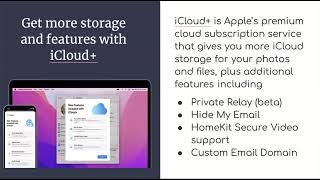
iCloud: Online Storage for Apple Devices

During this Cyber-Seniors webinar, our teen tech mentors teach you how to use iCloud to back up, sync and store files from your Apple products. If you enjoyed this video, please give it a like and subscribe to our channel for more helpful tech sessions!

Recorded on 01/10/2022

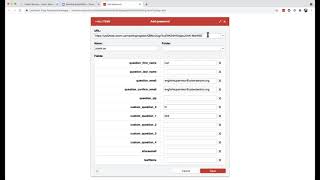
How to Set up Autofill for Cyber-Seniors Online Webinar Registration

Are you tired of having to type in your personal info every time you want to register for a Cyber-Seniors webinar? Tech session host Lori-Ann briefly demonstrates one of the possible ways to set up autofill to speed up the online registration process. You can get the LastPass extension from the Chrome web store for free here: https://chrome.google.com/webstore/detail/lastpass-free-password-ma/hdokiejnpimakedhajhdlcegeplioahd If you ever have issues registering, please contact info@cyberseniors.org

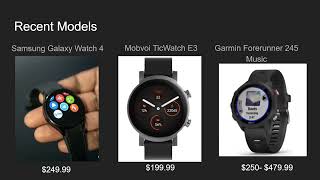
What to Consider When Buying Smart Watches (2022)

During this Cyber-Seniors webinar, our teen tech mentors give us the low-down on smart watches: small watch-shaped wearable computers that work alongside your smartphone. You can use them to read texts and emails, track your steps and exercise, and even answer calls. If you enjoyed this video, please give it a like and subscribe to our channel for more helpful tech sessions!

Recorded on 01/06/2022

Craft for Mental Health

During this Cyber-Seniors Connected Communities session, we briefly review the influence crafts have on our well-being and mental health. We also take a quick look at the application wikiHow as a great tool to find tools to practice self-care and adventure in new DIY projects.

January 2022 Monthly Tech Roundup

During this Cyber-Seniors webinar, our teen tech mentors discuss new tech devices, services and platforms coming out in January 2022. If you enjoyed this video, please give it a like and subscribe to our channel for more helpful tech sessions!

Recorded on 01/07/2022

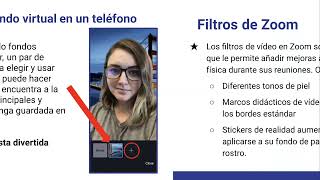
Fondos y Filtros Virtuales en Zoom

Durante este seminario web Cyber-Seniors, enseñamos cómo usar las prácticas funciones de filtro de video y fondo virtual en Zoom para cubrir su fondo de la vida real con una hermosa imagen o video.

Grabado 01/06/2022

Vaccine Certificate with QR Code

During this Cyber-Seniors Connected Communities session, we visit the steps you can take to download your enhanced vaccine certificate/QR Code. Do and don’ts to consider for its best use.

What to Consider When Buying a Tablet (2022)

During this Cyber-Seniors webinar, our teen tech mentors provide advice about the different kinds of tablets on the market and how to choose the right one for you. If you enjoyed this video, please give it a like and subscribe to our channel for more helpful tech sessions!

Recorded on 01/05/2022

What to Consider When Buying a Laptop (2022)

During this Cyber-Seniors webinar, our teen tech mentors walk us through different brands and models of laptop computers and their main features to help you decide which one is right for you when purchasing a new laptop. If you enjoyed this video, please give it a like and subscribe to our channel for more helpful tech sessions!

Recorded on 01/04/2022