
Wish: Affordable Online Shopping

During this Cyber-Seniors webinar, our teen tech mentors introduce Wish, the online e-commerce platform that connects buyers and sellers of a huge variety of products. Use it to find and purchase inexpensive clothing, accessories, electronics, and much more!

Recorded on 05/19/2021

Google Meet: Free Video Calling Platform

During this Cyber-Seniors webinar, our teen tech mentors discuss the video-calling application Google Meet, which is another simple way to connect “face-to-face” with your loved ones through your computer, phone or tablet.

Recorded on 05/18/2021

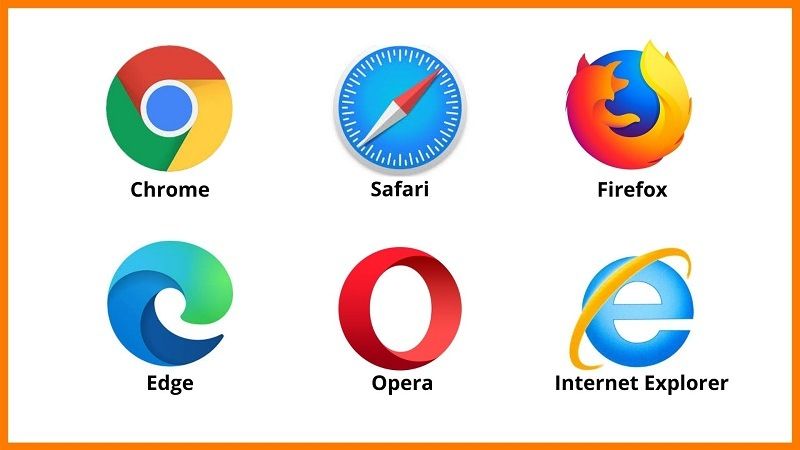
Choosing an Internet Browser

During this Cyber-Seniors educational webinar, we go over the different internet/web browsers which are available to you when navigating the internet, such as Chrome, Safari, and FireFox. Learn how to change your default browser, search the web incognito, clear your internet history, and much more!

Recorded on 5/17/2021

Getting the Most out of your iPhone

During this Cyber-Seniors webinar, our teen tech mentors discuss some useful tips and tricks for iPhone users, such as how to adjust brightness, font size and keyboard placement, how to access Apple Wallet, Apple Health and Siri, how to take screenshots and scan documents, and much more!

Recorded on 05/14/2021

Les Téléviseurs Intelligents

Au cours de ce webinaire Cyber-Seniors, nos bénévoles décrivent la valeur des téléviseurs intelligents, qui vous permettent de diffuser de la musique, des films, la télévision et des vidéos, d’accéder à plusieurs applis et sites de streaming, et de naviguer sur Internet.

Enregistré 05/11/2021

Poshmark

During this Cyber-Seniors webinar, our teen tech mentors introduce Poshmark, an app and website that lets you purchase and sell second-hand clothes, shoes, accessories and home products online to make some money off your old items and find great deals on new ones.

Recorded on 05/13/2021

Fragment and Other Photo Editing Programs

During this Cyber-Seniors webinar, our teen tech mentors discuss the Fragment Photo Editing app, which allows you to transform any image into unique prismatic art, as well as many other photo editing apps and websites, including Apple Photos, Google Photos, Adobe Lightroom, and Pixlr.

Recorded on 05/12/2021

Google Drive App for Smartphones and Tablets

During this Cyber-Seniors webinar, our teen tech mentors talk about how to access the Google Drive application from your smartphone or tablet. You can use it to easily create new files and folders and access your existing ones on the go through your Google account.

Recorded on 05/11/2021

Cloud Storage: iCloud and OneDrive

During this Cyber-Seniors webinar, our tech mentors review how to set up and use cloud storage to save and protect your digital files and folders, including pictures, videos and documents. We walk you through the steps of getting started with both iCloud and OneDrive, as well as briefly touching on some additional cloud storage platforms, like Google Drive and DropBox.

Recorded on 05/10/2021

Internet Bookmarks and Shortcuts

During this Cyber-Seniors webinar, our youth tech mentors teach how to create and manage internet bookmarks and shortcuts on your devices to easily save important web pages. We cover how to add bookmarks from Google Chrome and Safari web browsers on computers, as well as on Android and Apple smartphones.

Recorded on 05/07/2021