How to Use Netflix

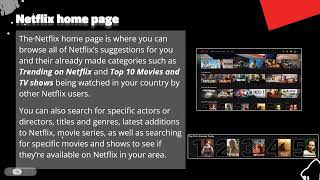
During this Cyber-Seniors webinar, our teen tech mentors tell you everything you need to know about the popular online movie and TV streaming platform Netflix, including how to create an account, choose a subscription plan, and download your favourite flicks for offline watching. If you enjoyed this video, please give it a like and subscribe to our channel for more helpful tech sessions!

Recorded on 01/17/2022

Guided Meditation: Nature Visualization

Find a comfortable seat in a quiet place, relax, and listen to this guided visualization meditation that will help you relax and energize your body by picturing beautiful parts of nature. This meditation was adapted from the following scripts: https://unifycosmos.com/visualization-meditation-script/ https://palousemindfulness.com/docs/lake%20meditation.pdf

Virtual Tour of New York City, USA

Join us for a brief virtual tour of the infamous city of New York, USA. If you enjoyed this video, please give it a like and subscribe to our channel for more interesting sessions! Cyber-Seniors hosts virtual tours every other Monday at 5 PM Eastern Standard Time.

Recorded on 01/17/2022

Cloud Storage and Backup: IDrive, Spider Oak and Box

During this Cyber-Seniors webinar, our teen tech mentors discuss lesser known cloud storage and backup platforms, such as IDrive, Spider Oak and Box, as well as how to create your own personal “cloud”. If you enjoyed this video, please give it a like and subscribe to our channel for more helpful tech sessions!

Recorded on 01/14/2022

NH Navigator App • Niagara Health

During this Cyber-Seniors Connected Communities session, Brandy Langley-Smith-Williscroft, the Project Manager Information and Communications Technology of Niagara Health, conducted a live presentation demo using the Niagara Health Navigator App to create an Ontario Trusted Account and manage appointments.

Google Drive: Cloud Storage

During this Cyber-Seniors webinar, our teen tech mentors teach you how to use Google Drive to back up and sync files, share, and create new documents, with 15 GB of free storage. If you enjoyed this video, please give it a like and subscribe to our channel for more helpful tech sessions!

Recorded on 01/11/2022

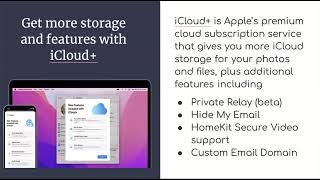
iCloud: Online Storage for Apple Devices

During this Cyber-Seniors webinar, our teen tech mentors teach you how to use iCloud to back up, sync and store files from your Apple products. If you enjoyed this video, please give it a like and subscribe to our channel for more helpful tech sessions!

Recorded on 01/10/2022

How to Set up Autofill for Cyber-Seniors Online Webinar Registration

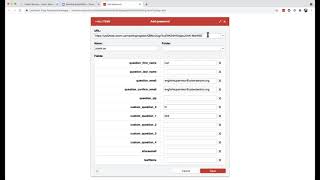
Are you tired of having to type in your personal info every time you want to register for a Cyber-Seniors webinar? Tech session host Lori-Ann briefly demonstrates one of the possible ways to set up autofill to speed up the online registration process. You can get the LastPass extension from the Chrome web store for free here: https://chrome.google.com/webstore/detail/lastpass-free-password-ma/hdokiejnpimakedhajhdlcegeplioahd If you ever have issues registering, please contact info@cyberseniors.org

What to Consider When Buying Smart Watches (2022)

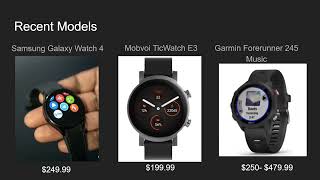
During this Cyber-Seniors webinar, our teen tech mentors give us the low-down on smart watches: small watch-shaped wearable computers that work alongside your smartphone. You can use them to read texts and emails, track your steps and exercise, and even answer calls. If you enjoyed this video, please give it a like and subscribe to our channel for more helpful tech sessions!

Recorded on 01/06/2022

Craft for Mental Health

During this Cyber-Seniors Connected Communities session, we briefly review the influence crafts have on our well-being and mental health. We also take a quick look at the application wikiHow as a great tool to find tools to practice self-care and adventure in new DIY projects.